
Cici Dong

Independent learning sample

Reporting an Equipment Issue: From Observation to Maintenance Handoff

A scenario-based technical-training module that helps the production team communicate equipment issues accurately to the maintenance team.

  • Technical training
  • Cross-team communication
  • Storyline 360
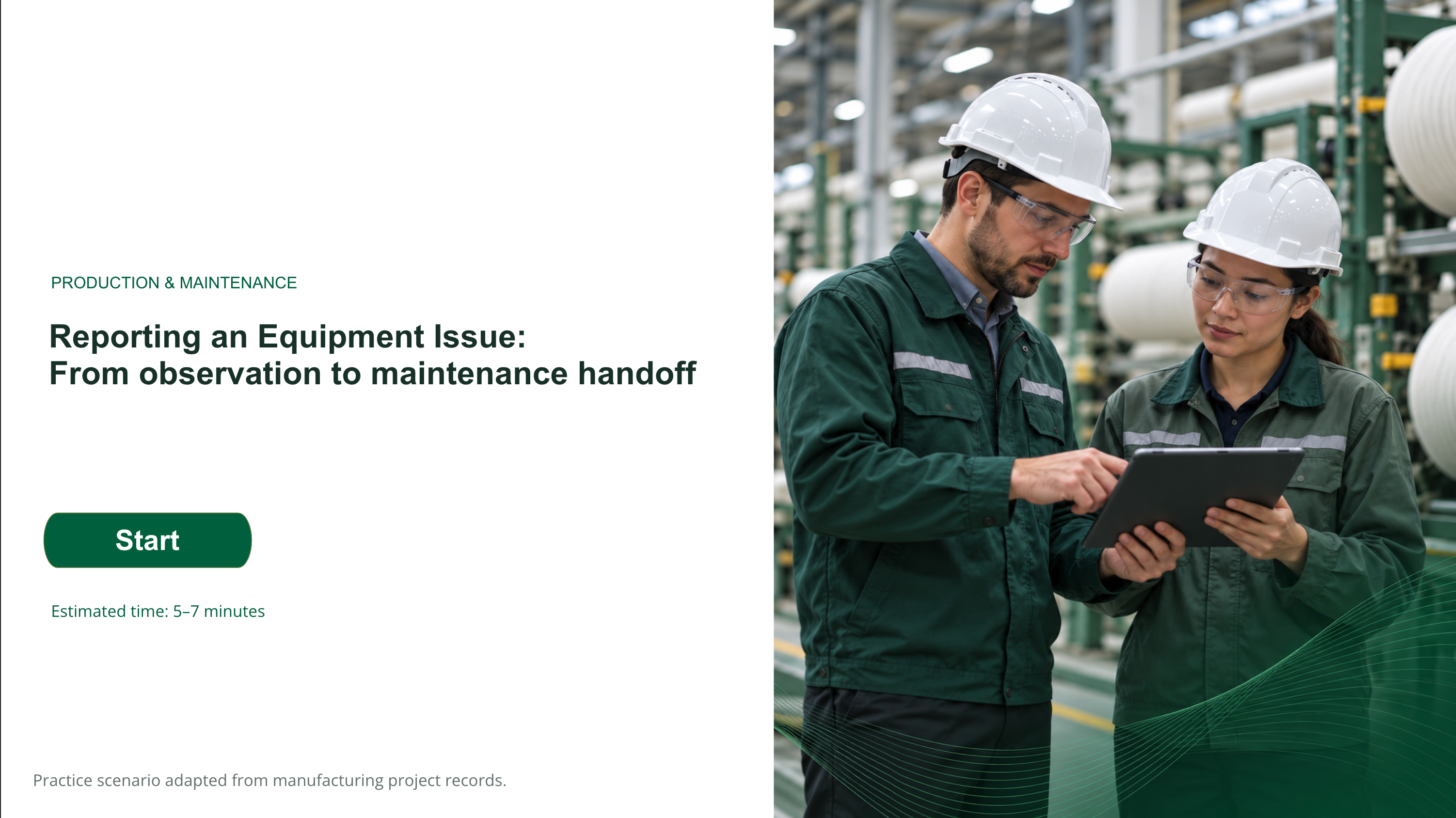
Screen from the independent Storyline training sample.
Audience
Production staff and supervisors
My role
Content adaptation, instructional design, visual and multimedia production, Storyline development, and publishing
Tools
Storyline 360, Figma, HeyGen, SCORM Cloud
Development time
3 days

02Training context and learning goals

Source materials

This module adapts training materials and manufacturing incident records from Lenzing, a multinational fiber manufacturer where I previously interned.

Course background

Lenzing’s Gear Project addressed communication barriers between production and maintenance through cross-functional learning. Its materials identified needs around describing equipment faults and preparing maintenance notifications. I selected this reporting task for a focused Storyline module, using a separate manufacturing incident report to build the practice scenario.

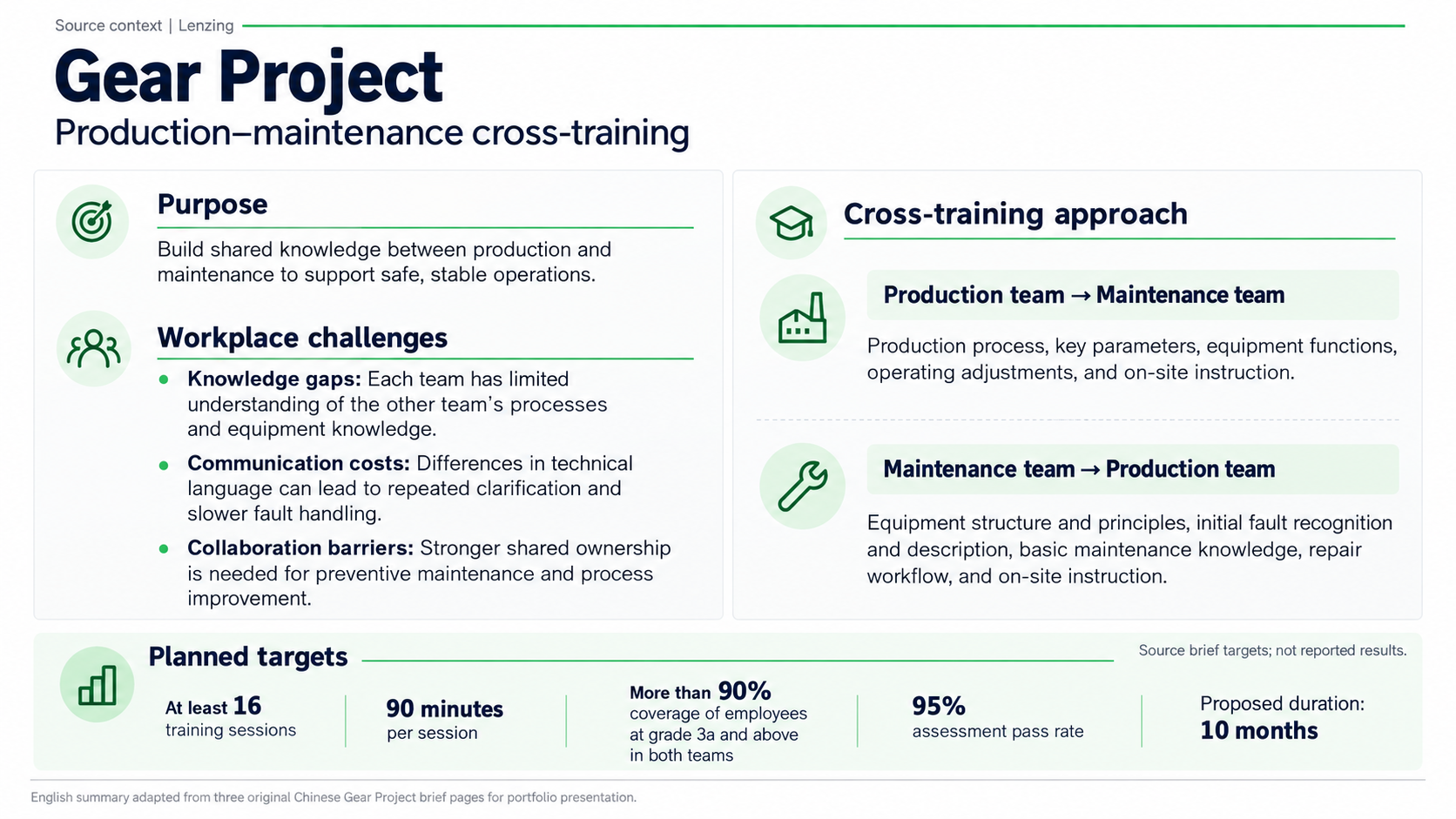
English summary of the Gear Project production–maintenance cross-training brief, including purpose, workplace challenges, the two-way learning approach, and planned targets from the source brief.
Gear Project: English summary adapted from three original Chinese brief pages.
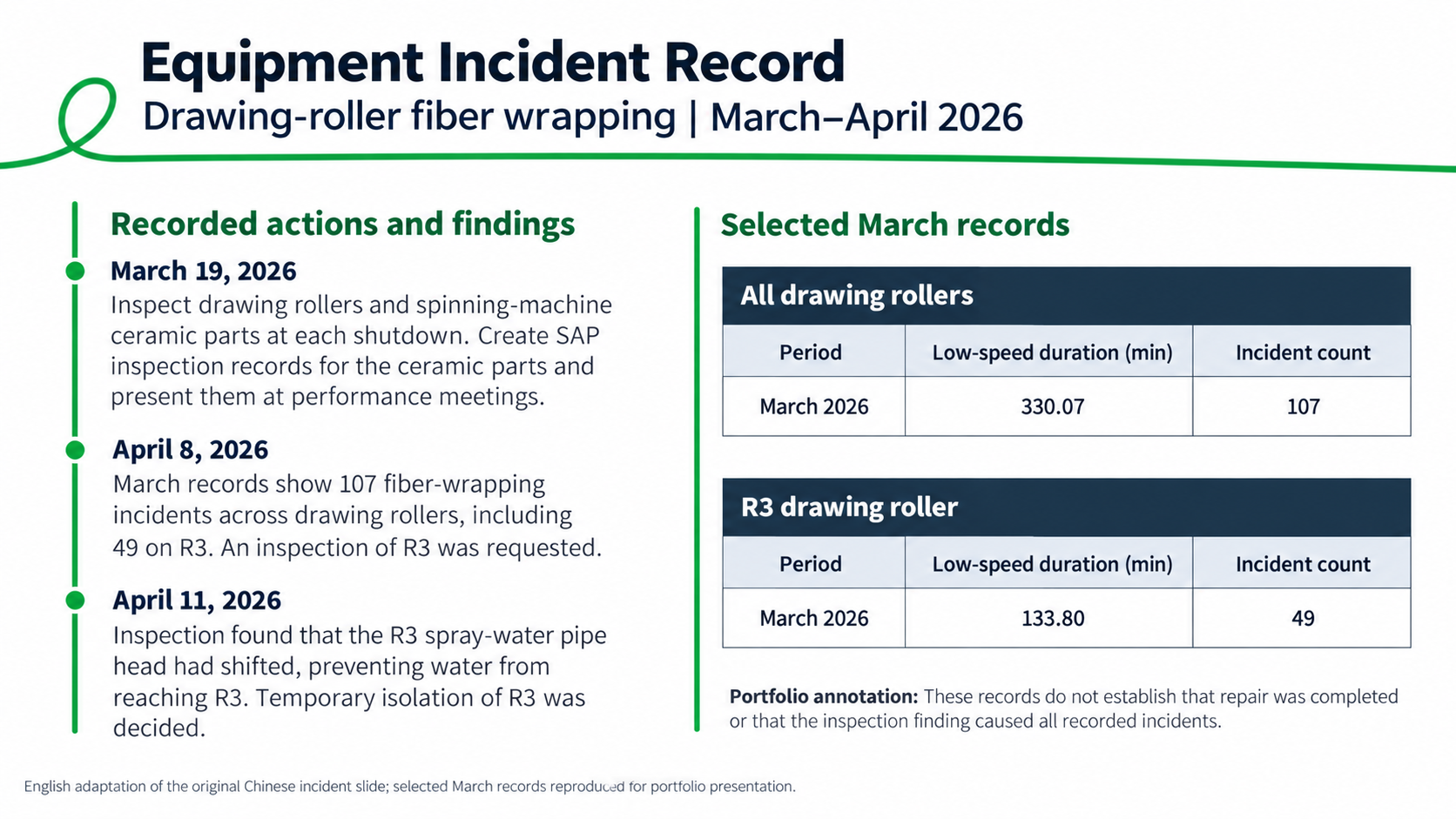
English adaptation of a drawing-roller fiber-wrapping incident record for March–April 2026, with dated findings and selected March incident counts. The record does not show that repair was completed.
Incident record: English adaptation of the Chinese source slide, with selected March records.

From source training to this sample

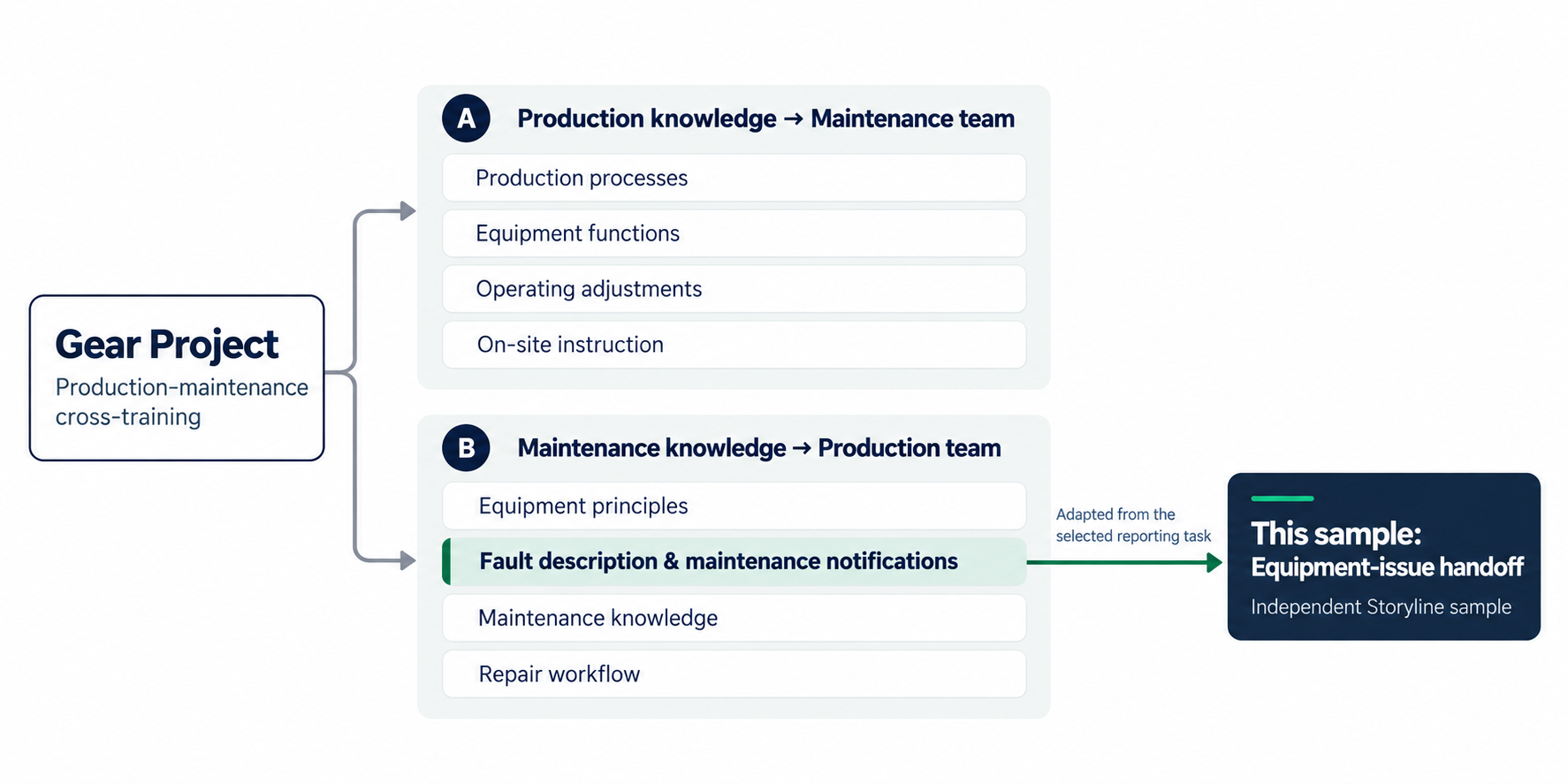
Gear Project’s two cross-training directions, highlighting fault description and maintenance notifications as the selected topic adapted into this independent equipment-issue handoff sample.
Selected source-training topics and their relationship to this independent Storyline sample.

Learning objectives

  1. Describe the issue

    Use supported equipment details, reporting period, and incident counts.

  2. Separate facts from assumptions

    Distinguish confirmed information from unverified explanations.

  3. Update the handoff

    Incorporate inspection findings without overstating repair or follow-up status.

03Planning the learning experience

Before development, I drafted a rough course outline to organize the reporting task and sketched separate screen-by-screen wireframes to plan the sequence, layouts, and interactions. These artifacts guided development as I revised and refined selected activities during the Storyline build.

Finished learner journey

  1. Review the incident
  2. Make reporting decisions
  3. Examine a model handoff
  4. Practice an update
  5. Review the process
  6. Apply it to a new incident
Finished learner journey, summarized for this case study.

Course outline

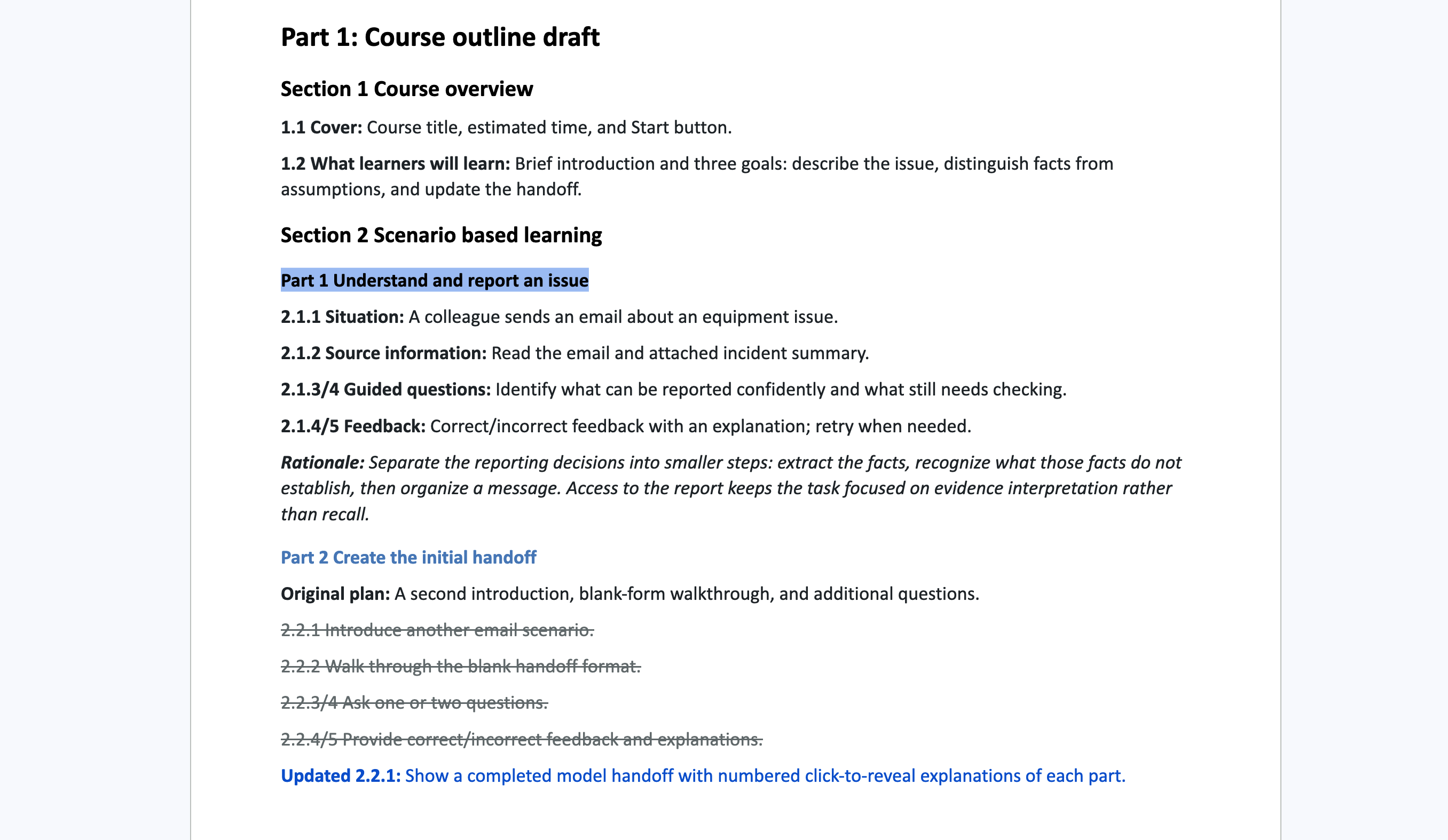
Course outline with revisions documented after development.

Original planning content is shown alongside later revision annotations.

View in Google Doc of the course outline (opens in a new tab)

Screen-by-screen wireframes

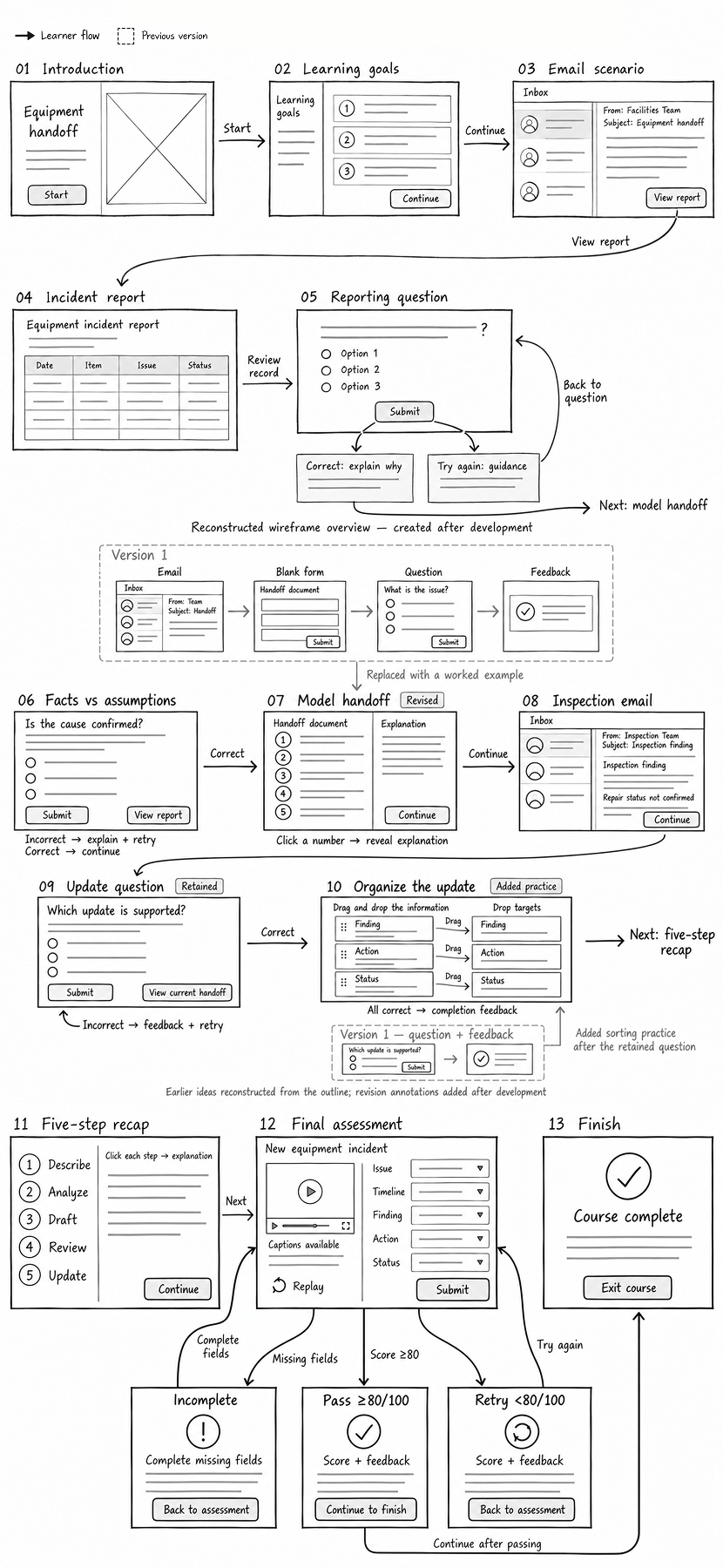
Screen-by-screen wireframe overview, reconstructed after development.

Earlier ideas and implemented revisions are annotated.

View full wireframes of the screen-by-screen wireframe overview (opens in a new tab)

04Two design decisions and revisions

Make the handoff structure visible

Learners have identified supported facts and uncertain claims. Next, they need to see how those decisions fit into a complete maintenance handoff.
Original plan

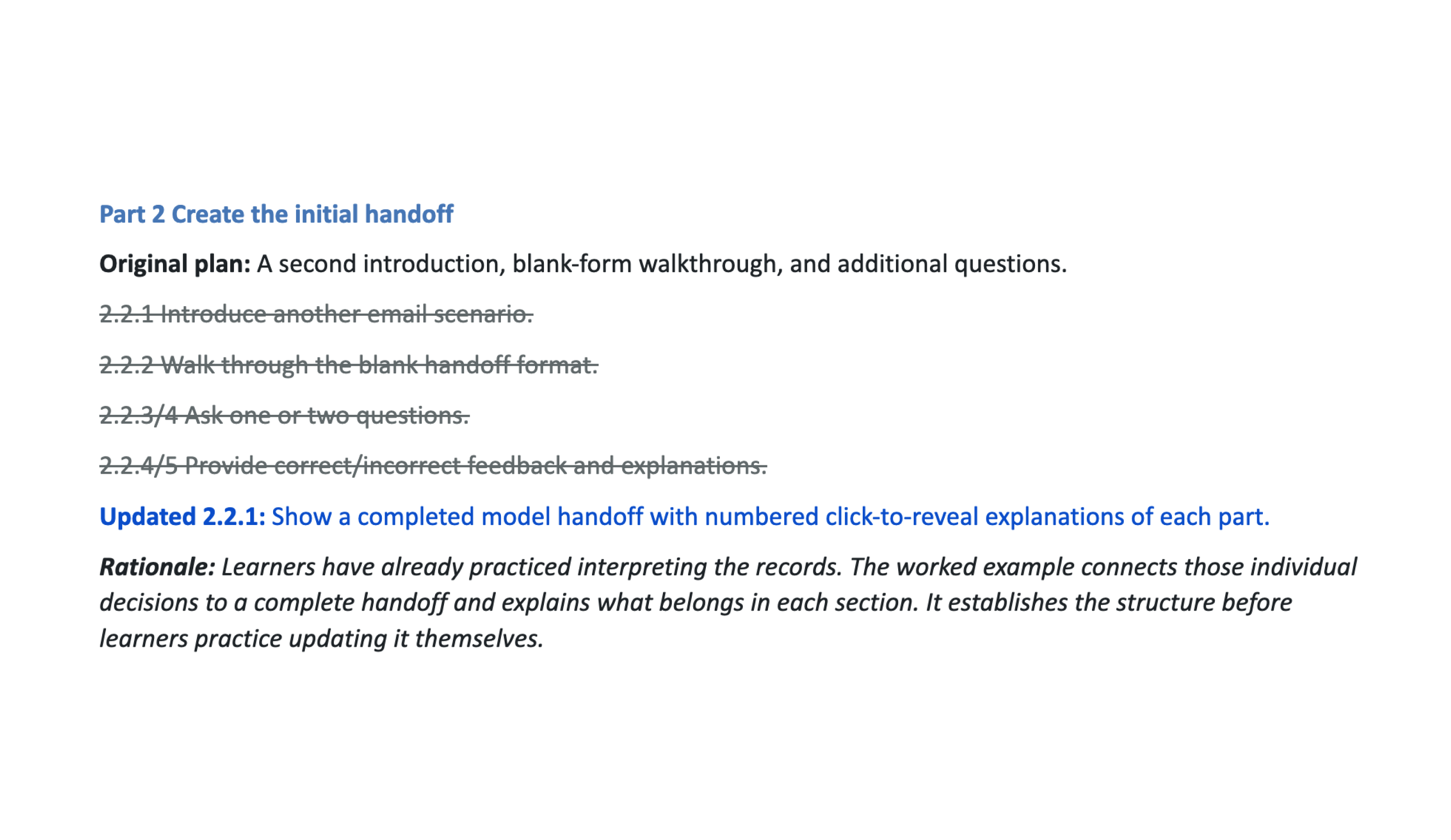
Outline excerpt

Outline excerpt for creating the initial handoff, with the original plan struck through and an updated step for a completed model handoff with numbered click-to-reveal explanations.
Initial-handoff outline excerpt, with later revision annotations.

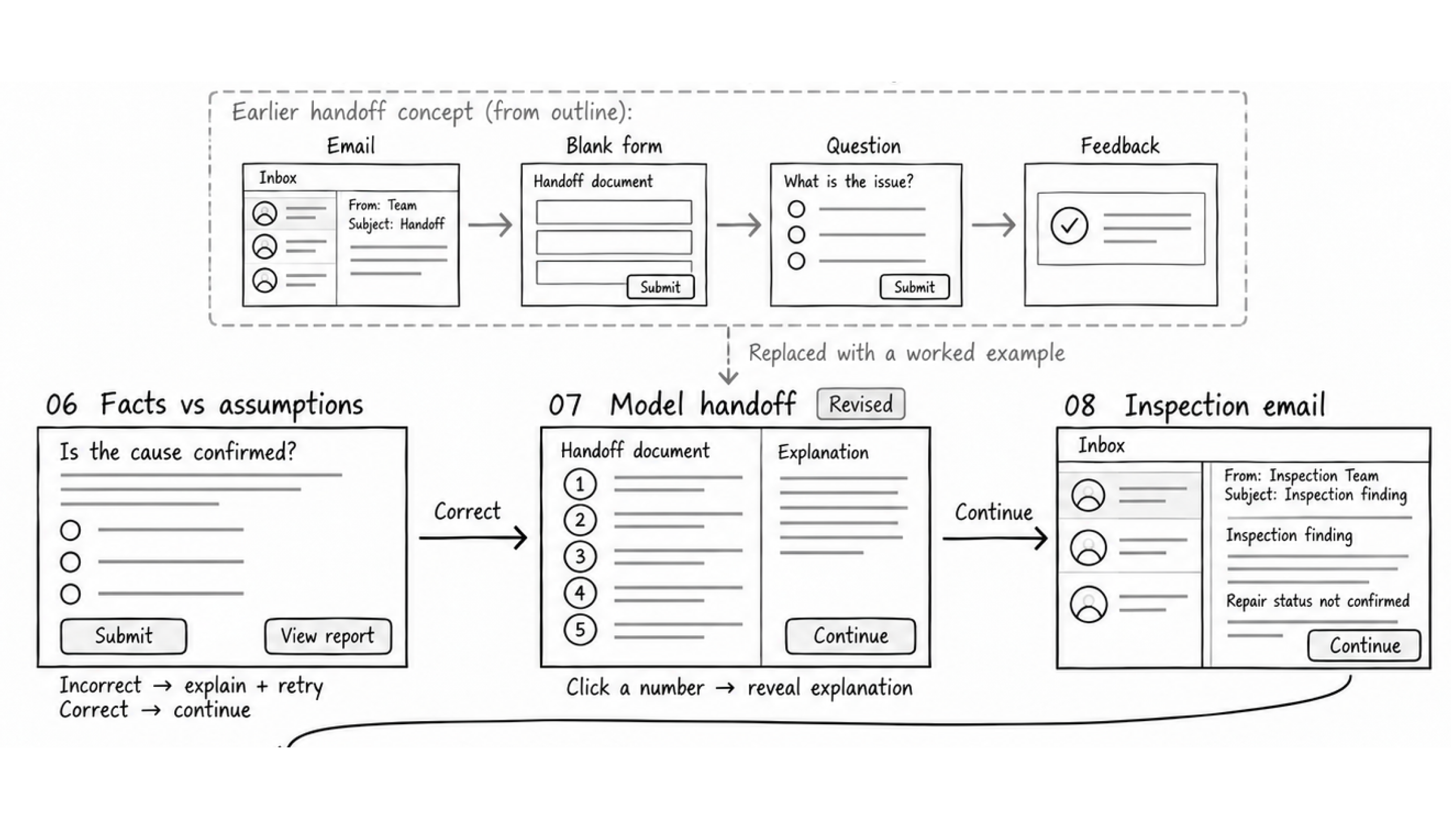
Wireframe

Wireframe of the earlier handoff concept replaced by a model handoff, showing facts versus assumptions, numbered click-to-reveal explanations, and the inspection email.
Original pre-build wireframe for the initial-handoff activity.

Final interaction

Completed model handoff with numbered click-to-reveal explanations.

What changed

I replaced another scenario, a blank-form walkthrough, and additional questions with a completed model handoff and five numbered click-to-reveal explanations.

Why

The worked example connects individual reporting decisions to a complete handoff, giving learners a reference before they practice updating it.
Add practice for organizing an update

An inspection email introduces new findings, while repair status remains unconfirmed. Learners must decide what can be added and where it belongs.

Original plan

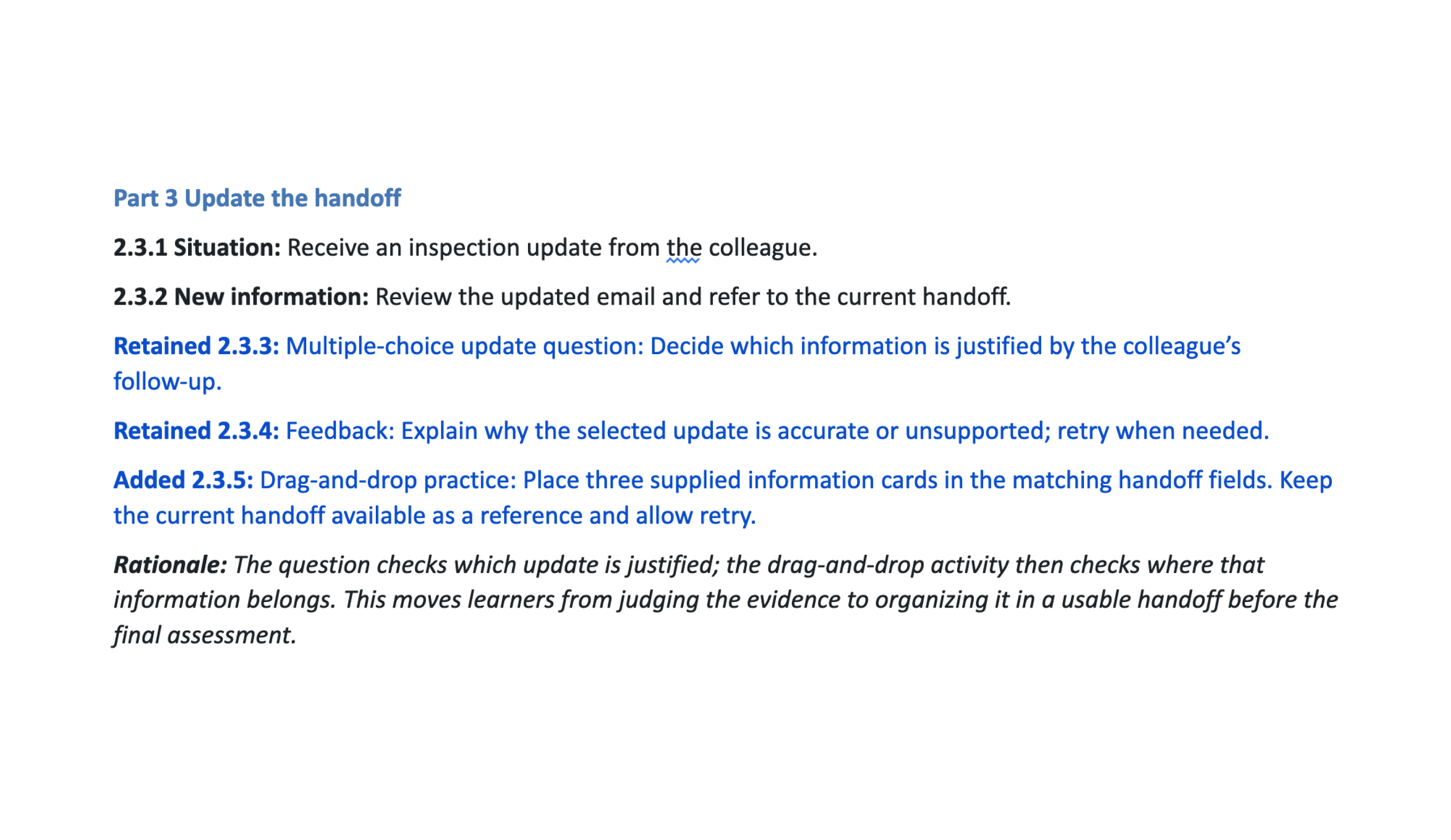
Outline excerpt

Outline excerpt for updating the handoff, with retained multiple-choice and feedback steps plus an added drag-and-drop practice step.
Inspection-update outline excerpt, with later revision annotations.

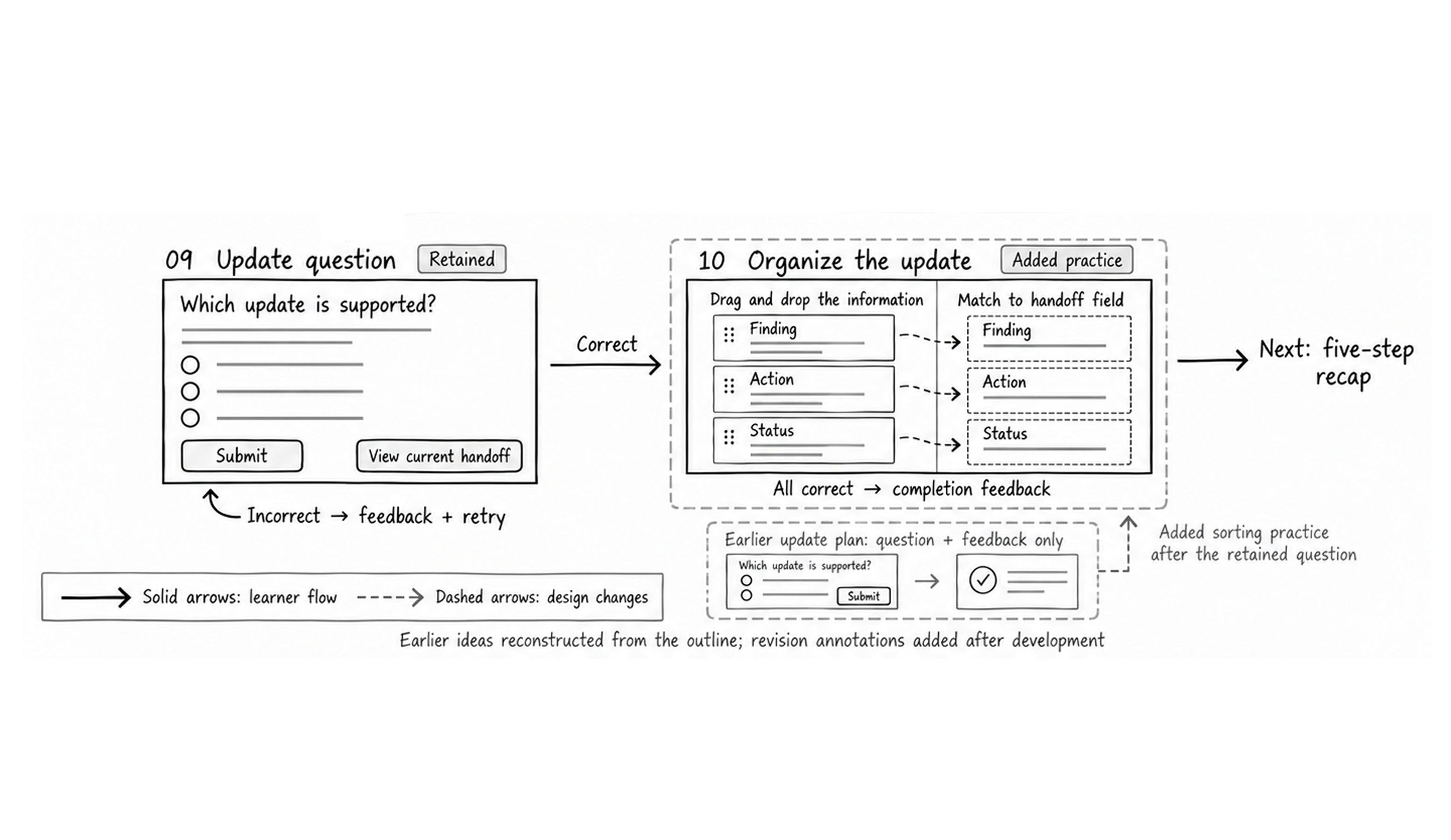
Wireframe

Wireframe of the retained update question and added drag-and-drop practice for matching finding, action, and status cards to handoff fields.
Original pre-build wireframe for the inspection-update activity.

Final interaction

Inspection-update question and feedback, followed by drag-and-drop practice.

What changed

I retained the multiple-choice update question and explanatory feedback, then added a three-card drag-and-drop activity.

Why

The question checks which update is justified. The drag-and-drop activity then asks learners to organize that information into the appropriate handoff fields before the final assessment.

05Visual design and Storyline implementation

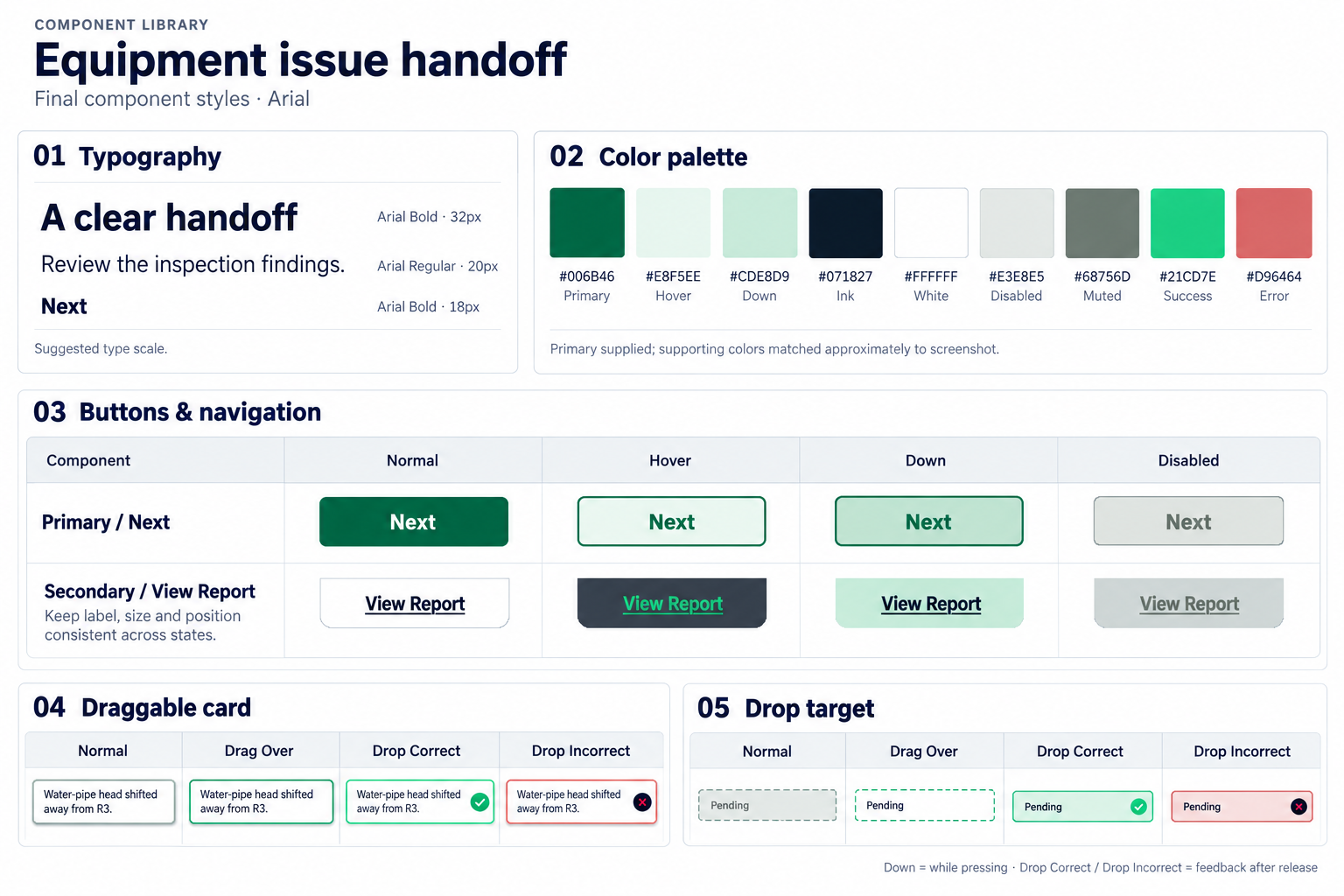
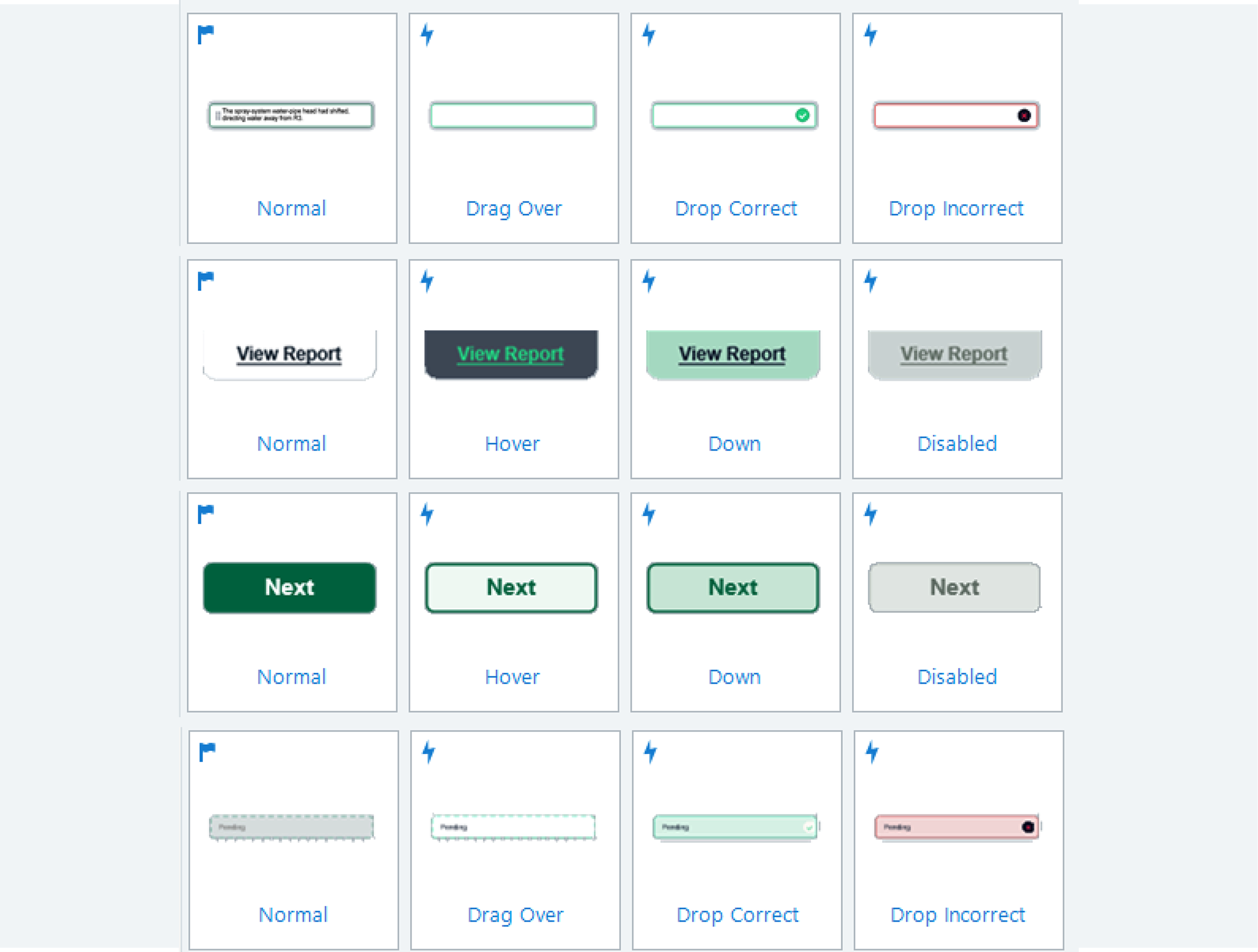
I used Figma to prepare visual components and Storyline 360 to build the course interactions. This example shows the transition from a visual draft to its implementation in the course.

From visual draft to working interaction

Figma component draft

Component draft created in Figma.

Storyline component

Corresponding component implemented in Storyline 360.

06Assessment, learner support, and publishing

Apply the process to a new incident

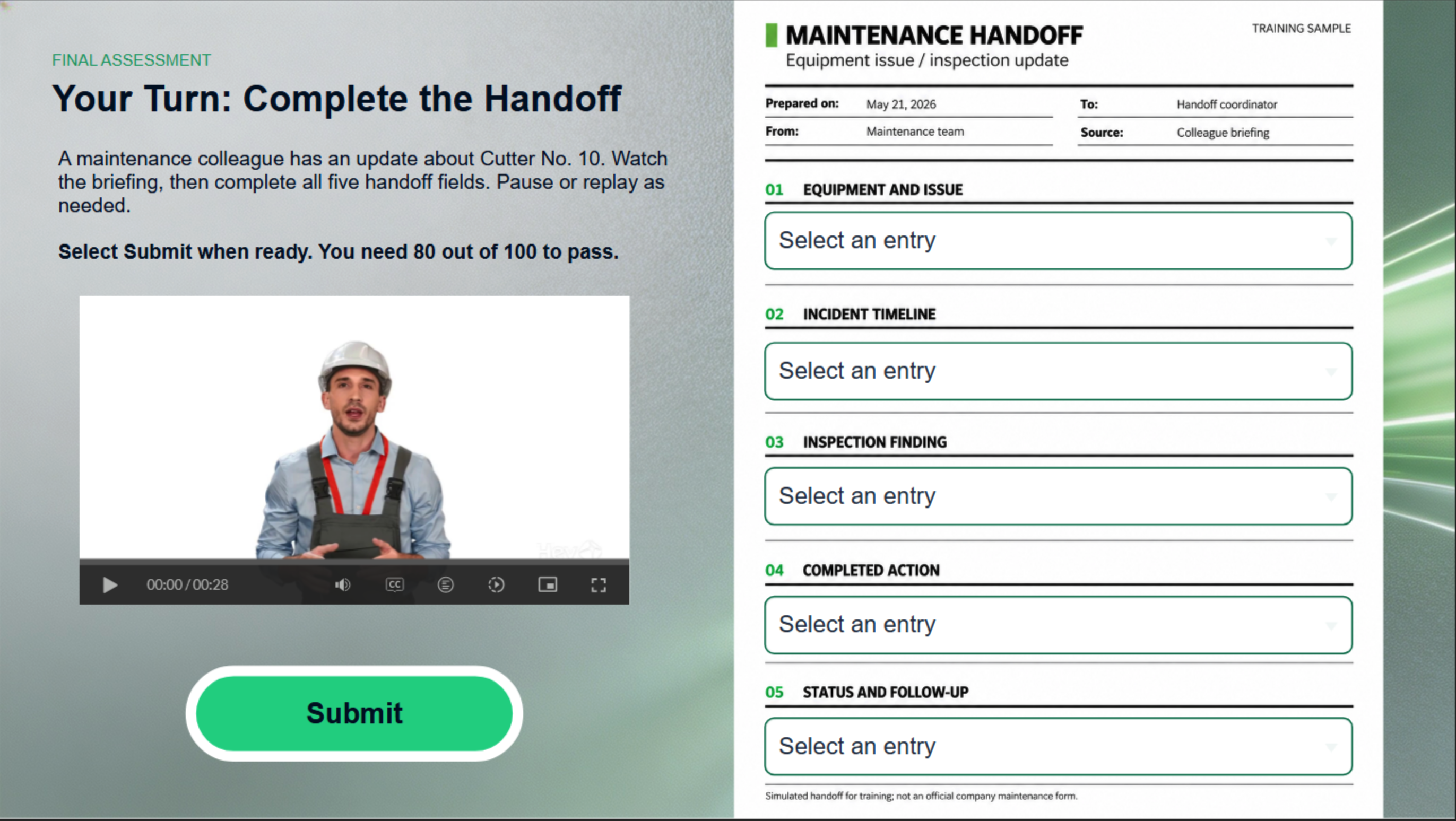
A captioned HeyGen briefing introduces a different equipment incident. Learners select supplied entries to assemble a five-field maintenance handoff, applying the reporting process beyond the guided example.

  1. Equipment/issue
  2. Timeline
  3. Inspection finding
  4. Completed action
  5. Status/follow-up
Final assessment screen with a captioned briefing video about Cutter No. 10 and five selectable maintenance handoff fields.
Video briefing and five selectable handoff fields.
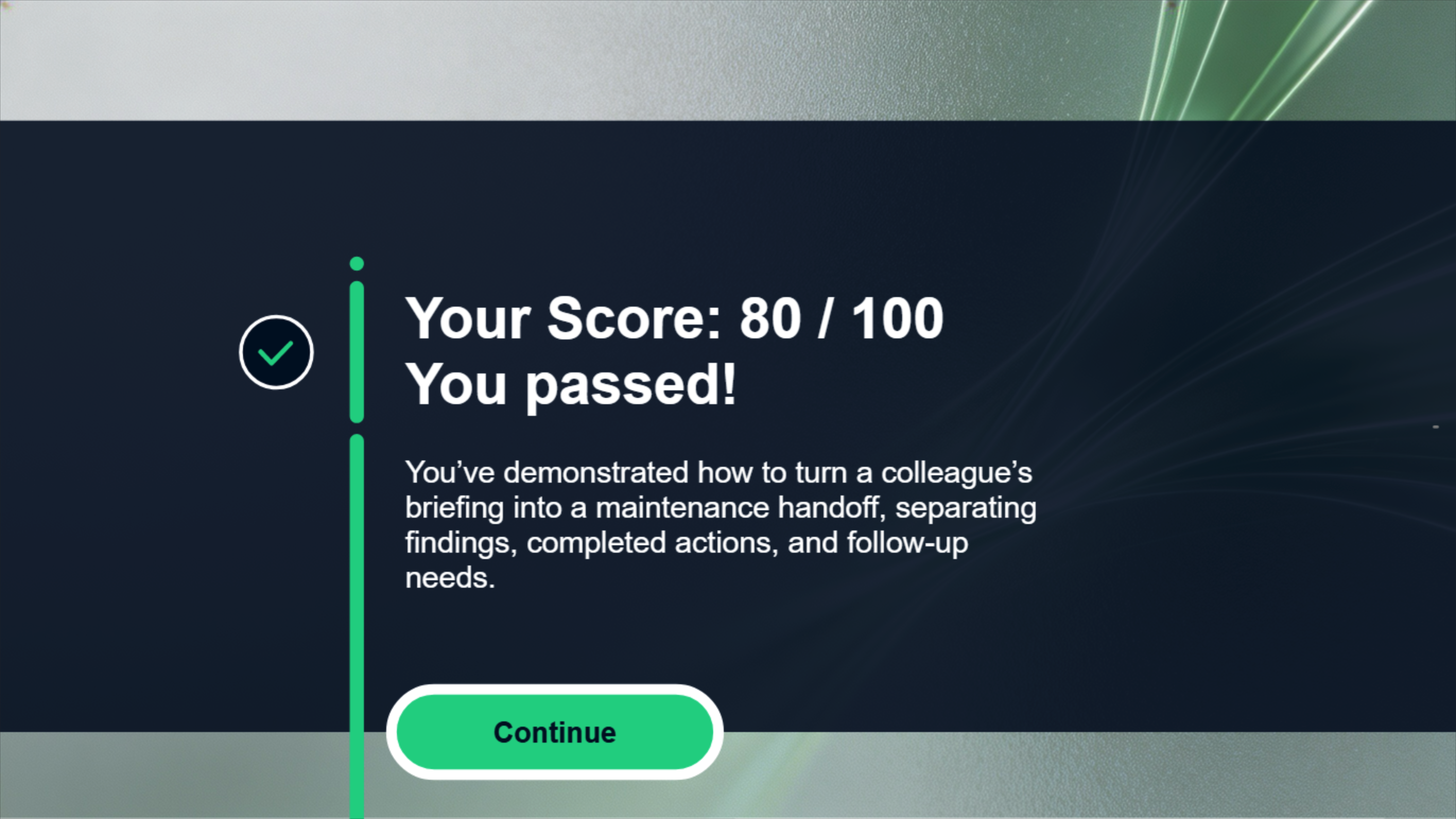
Assessment result screen showing a score of 80 out of 100 and a passed message.
Example of on-screen assessment results and feedback.

Scoring and feedback

Each correct field contributes 20 points, with a passing threshold of 80/100. Unanswered fields prompt completion before scoring. Completed responses receive a score and feedback, followed by continuation after passing or another attempt below the threshold.

Incomplete

One or more fields unanswered

Complete missing fields before scoring.

Pass

All fields answered; score at least 80/100

View results and continue.

Retry

All fields answered; score below 80/100

View feedback and try again.

Assessment alignment

Learning objective Assessment evidence
Describe the issue Equipment/issue and timeline selections; incident counts are checked in earlier practice.
Separate facts from assumptions Inspection finding, completed action, and status/follow-up selections distinguish confirmed information from unsupported claims.
Update the handoff The five-field response organizes incident and inspection information into a structured handoff.

The assessment checks selection and organization of supplied information; it does not independently assess free-form handoff writing.

Learner support

  • Narration
  • Player audio controls
  • Slide notes
  • Assessment-video captions and replay

These features help learners access and revisit the course information.

Notes and audio controls

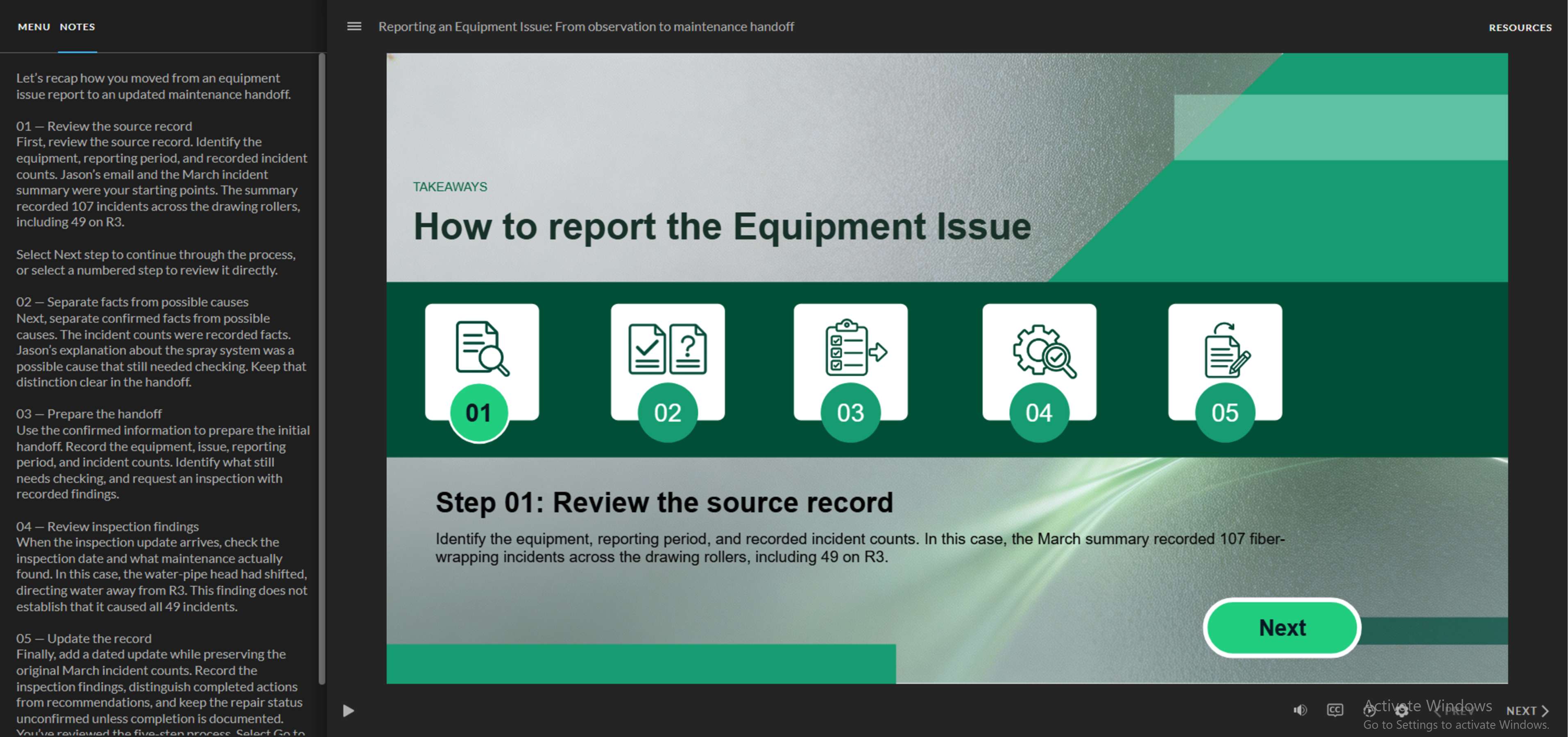
Published course with slide notes and player audio controls visible.

Narration sample

A short course excerpt demonstrating narration. Sound plays when selected.

Publishing and testing

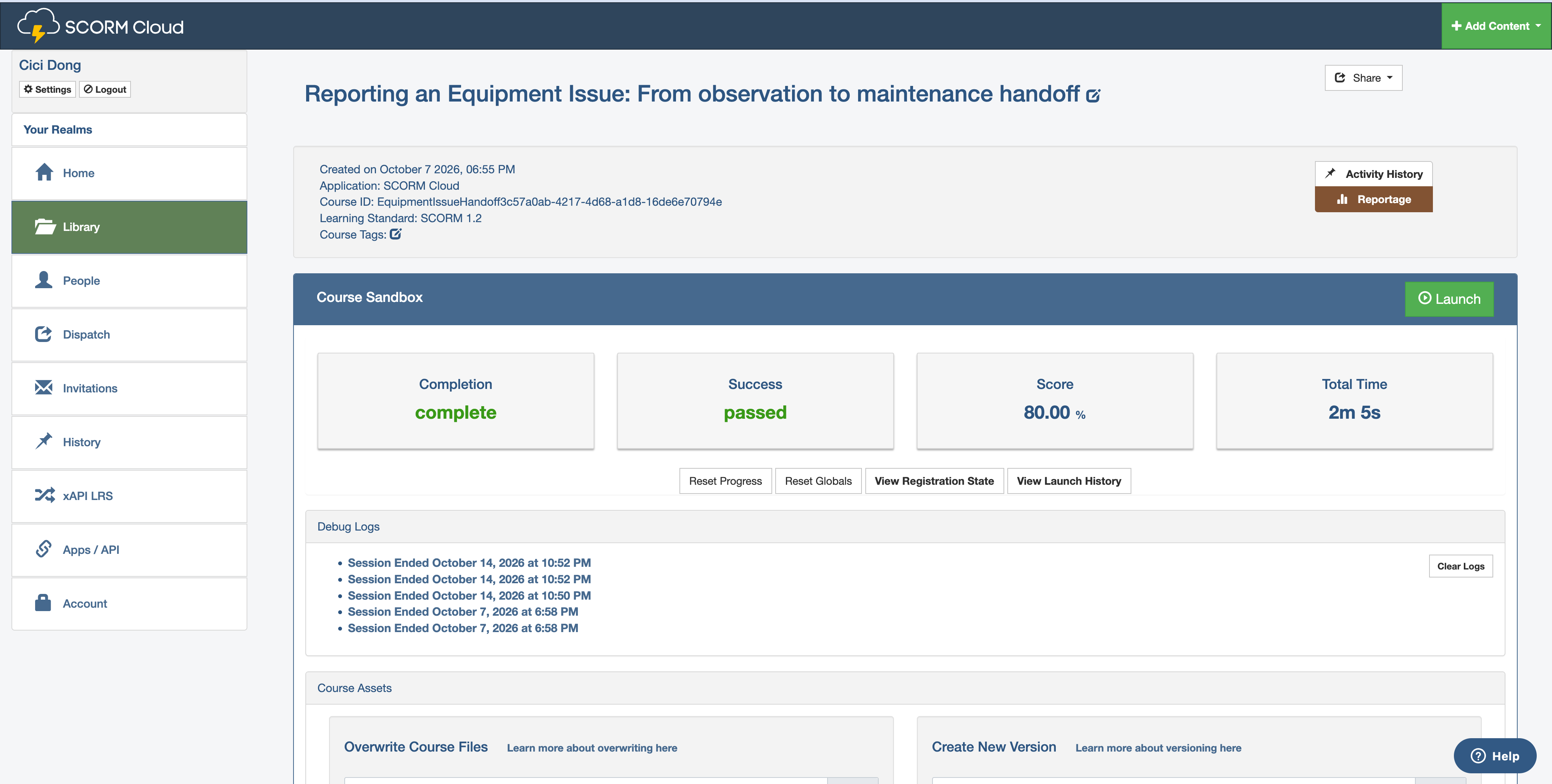
I published the course as a SCORM 1.2 package and uploaded it to SCORM Cloud for testing.

SCORM Cloud test results showing Complete, Passed, and an 80% score for the SCORM 1.2 course.
SCORM Cloud test run showing completion, passed status, and an 80% score.

07Project takeaways

This project brought together multimedia production, deliberate practice sequencing, and design choices for busy production staff. I also explored SCORM publishing to test how the course could support LMS tracking.

  1. NOTE 01

    Match the medium to the task

    I used email and incident records to establish the workplace scenario, click-to-reveal explanations to unpack a model handoff, and a video briefing to introduce a new incident.

  2. NOTE 02

    Build for tracking

    I intentionally published a SCORM 1.2 package and uploaded it to SCORM Cloud to explore LMS tracking of learner results.

  3. NOTE 03

    Practice judgment, then organization

    Learners first decide which information is supported, then practice placing it into the appropriate handoff fields.

  4. NOTE 04

    Respect learners’ workload

    For busy production staff, I used supplied choices in the final assessment to focus effort on reporting decisions and reduce typing demands. This checks selection and organization rather than independent writing.